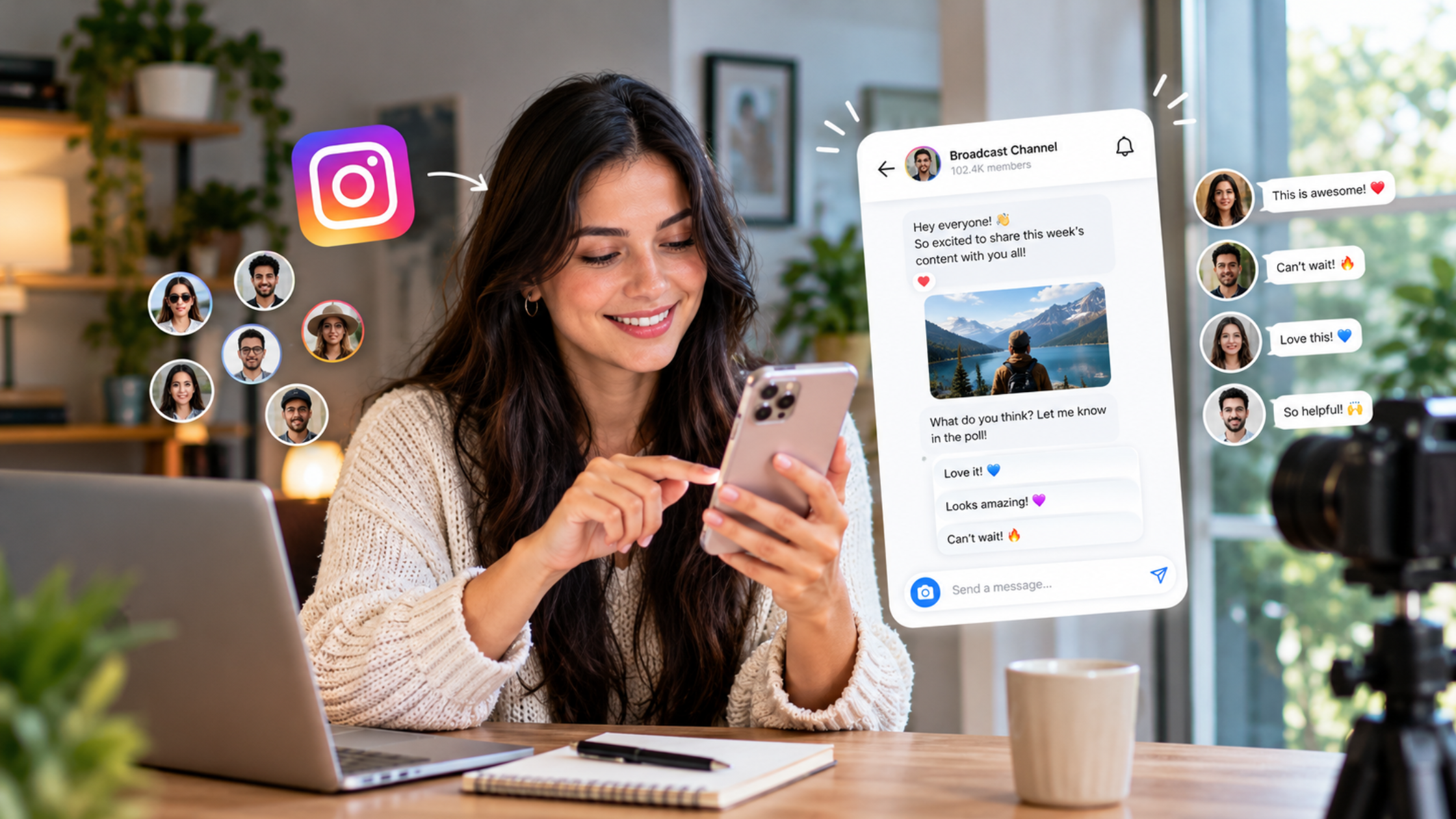
Instagram Broadcast Channels for Creators: How to Turn Followers Into an Active Community
A follower is someone who once tapped a button. A channel member is someone who said yes to hearing from you again, in the same inbox where they talk to their friends. That is a very different relationship, and it is why Instagram's broadcast channels have become one of the more interesting tools for creators who want a community and not just a number.
This guide explains how channels work, who can start one, what to post, and how to run a simple weekly plan. It also covers how to encourage people to take part, how to keep the space safe, which metrics matter beyond follower count, and where followers and engagement services fit without replacing genuine participation.
Short answer: Instagram broadcast channels let creators send updates, polls, voice notes, and prompts straight to followers who choose to join, inside their inbox. To build an active community, give your channel a clear promise, post a steady mix of announcements, exclusive updates, polls, and feedback questions, show members that their input changes what you do, and measure participation instead of follower count.
What are Instagram broadcast channels, and how do they work?
An Instagram broadcast channel is a public, one-to-many messaging space inside your inbox. You post text, photos, video, voice notes, and polls. Members can react, reply, and vote, but they cannot start messages of their own. Followers choose to join, which makes the audience smaller but far more intentional than your follower count.
Instagram's Help Center describes channels as a way to share announcements, behind-the-scenes content, event details, and upcoming collaborations. Anyone who joins can react and reply to your messages or vote in your polls, but they cannot send messages themselves. Because channels are public, anyone on Instagram can discover them.
Instagram's Creators site adds a few details. Channels support text, video, and voice, and you can invite another creator to chat live in your channel. You can use polls and question prompts to crowdsource feedback or ideas. You can create more than one channel to talk to different groups within your audience, and channel insights show what resonates with each. Collaborators you add can message and moderate, but they cannot change channel settings. Instagram also says creators and fans exchange over 1.5 billion messages on channels every month.
A channel is not a group chat, because the creator stays at the center and members cannot post on their own. It is not a feed post either, because it arrives in the inbox, where people are used to conversations. Think of it as a small, casual room where you speak first and members answer.
One honest caution. I found nothing in Instagram's documentation saying channel activity changes how your posts rank in the feed. The value of a channel is a closer relationship with people who already care, not extra reach.
Why does that matter now? In HubSpot's 2026 survey of social media marketers, reported by Forbes Advisor, 77% said authenticity beats production value, and brands choosing creators ranked follower count only fourth. Metricool's 2026 Instagram study of more than 24 million posts found Story replies grew 88% year over year, which suggests people are willing to talk directly with creators. A channel gives that conversation a permanent home.
Who can create a channel, and how do you set one up?
Instagram says channels are rolling out gradually, so check whether Create channel appears when you tap Compose in your Messages. Instagram's Help Center page says a public account with more than 1,000 followers can start one, while some guides cite professional accounts, so the option inside your app is the reliable test.
The availability rules have been described differently over time and across sources. The Help Center page I read says channels are being released slowly and are not available to everyone, and that they can be started by a public account with more than 1,000 followers. Other guides say any professional account can create one. Because Instagram changes these rules, do not rely on a follower number from an article. Open Messages, tap Compose, and look for Create channel.
Here is the setup flow from Instagram's Help Center:
- Tap Messages at the bottom of the app.
- Tap Compose in the top right.
- Tap Create channel.
- Enter a channel name, choose an audience, choose when the channel ends, and choose whether to show it on your profile.
- Tap Create.
You can find your channels later by tapping Messages, then Channels at the top.
How do people join?
When you send your first message, all of your followers receive a notification inviting them to join. After that, you can invite people in several ways:
- Share the invite link. It cannot be turned off, but you can reset it to generate a new one.
- Add the channel to your Story. As the admin, you can share your channel to a Story.
- Share a message from the channel to your Story. Tap and hold a message, then choose Share to story. People who see the Story can tap the message image to find and join.
- Share the QR code. Tap the channel name at the top of the channel, then tap QR code. This works well at events and in print.
Instagram's Creators site also suggests pinning the channel to your profile, giving it a descriptive title, adding a welcome message, and setting your intention for the channel.
Set up your channel promise
Before you send the first message, write one sentence that tells people why to stay: Join for [specific value], [how often], with [one clear tone]. For example, Join for weekly behind-the-scenes updates and first looks, every Tuesday and Friday, plus polls where you decide what I make next. Put it in your welcome message and keep to it. Members stay when the channel does what it said it would.
If you share branded content, Instagram's Help Center says you must use the paid partnership tool to disclose any commercial relationship. Branded content is only available for professional accounts.
What should you post in your channel?
Post four kinds of messages: announcements that make members feel first to know, exclusive updates they cannot get elsewhere, polls that take two seconds to answer, and feedback questions that show their input shapes what you do. Keep it casual and useful. A channel is not a second feed, so do not copy and paste your posts into it.
Announcements
Use the channel for news your community will care about: a new release, an event date, a collaboration, a schedule change, or a product launch. Because members chose to be there, they are the people most likely to want the news first. Say it plainly and add one question when you can, such as the date is set, which city should I add next? Announcements work best when they invite a reaction, not just a read.
Exclusive updates
Give members something they do not get in your feed. Examples include a behind-the-scenes clip, a voice note about what you are working on, an early look at a project, an unfinished draft, or the story behind a decision. Voice notes are especially easy and personal. Instagram's own tip for getting started is to share a voice note, even just a good morning. Exclusivity does not need to be elaborate. It just needs to feel like you are letting members into the room first.
Polls
Polls are the easiest way to get a first action from someone new, because voting takes two seconds and needs no words. Use them to let members choose the next topic, vote on a cover or color, decide between two ideas, or settle a friendly debate. Always use the result: tell members what won and what you did about it, so the next poll feels worth answering.
Audience feedback
Ask members what they want, what they struggle with, and what you should change. Instagram's Creators site encourages polls and question prompts to crowdsource feedback or ideas. Some guides citing Meta say prompts let members respond with text or photos for a limited window, reported as 24 hours, but check how prompts work in your own app before you rely on that. Keep questions narrow, such as what is the one thing you wish I explained better?, because narrow questions get real answers.
Two habits turn feedback into community. First, reply to what you can. Second, close the loop: share what you learned and what you will change. A member who sees their idea used becomes much more likely to speak up again.
What does a weekly engagement plan look like?
A simple weekly plan uses three to five messages with different jobs: a kickoff, a value update, a participation message, an exclusive, and a close-the-loop message. Start lean at about three messages a week, add more only if people respond, and keep the same rhythm so members know what to expect.
This is a suggested cadence, not an Instagram rule. Adjust it to your niche and your energy. Consistency matters more than volume, because members can mute or leave a channel that feels noisy.
Here is a plan you can copy:
- Monday: Week preview. Send a short voice note or text that says what is coming this week, with one easy poll, such as which of these two topics should I cover first?
- Tuesday: Value drop. Share one useful tip, a short behind-the-scenes clip, or a lesson from last week. Keep it short and specific.
- Wednesday: Participation message. Post a feedback question or a prompt that asks members to share something, such as show me your workspace or tell me your biggest roadblock right now.
- Thursday: Exclusive. Give members a first look at something before it appears in your feed: a draft, a teaser, a date, or an early link.
- Friday: Close the loop. Share what you learned from the week's poll and replies, what you will do about it, and a shoutout to one or two members, with permission.
- Weekend: Optional. Skip it, or send one light message such as a photo, a thank-you, or an invitation to a live Q&A in the channel. Instagram's Help Center notes you can start a live video in your channel.
Your first four weeks
- Week 1: Launch. Send a welcome message with your promise, a poll asking what members want most, and one behind-the-scenes post. Pin the channel and share it to your Story.
- Week 2: Build the rhythm. Follow the weekly plan above at three messages a week. Reply to everything you can.
- Week 3: Add participation. Introduce one regular feature, such as a Friday poll or a Monday question, so members have a ritual to look forward to.
- Week 4: Review. Check your numbers, keep the formats that got votes and replies, and drop the ones that got silence. Set next month's plan.
Our guide on overcoming creator burnout is worth a read if you worry about keeping up a posting rhythm. A channel works best at a pace you can keep.
How do you encourage people to join and take part?
Make joining easy, make the first action tiny, and make every contribution visible. Promote the channel in your Stories, Reels, and profile, ask for a vote before you ask for a reply, name members when they contribute, and always show what changed because of their input.
These tactics work well together:
- Promote it where your audience already is. Pin the channel to your profile, add it to Stories, share channel messages to Stories so people can tap through, and mention it at the end of Reels. Our guides on Instagram Reels strategy and Instagram Story views cover how to reach more people with those formats.
- Say what is in it for them. People join for a reason: first looks, early dates, a say in what you make, or a closer connection. Put that reason in the invite.
- Make the first action tiny. A poll vote or a reaction takes seconds. Once someone has voted, they are far more likely to reply later.
- Ask narrow questions. Which would you pick, A or B? gets more answers than what do you think about my work?
- Name your members. With permission, mention people who gave great ideas or answers. Recognition is the strongest motivator in any community.
- Close the loop. When members tell you something, report back: here is what you said, and here is what I am doing. This is the single habit that most separates active channels from silent ones.
- Build rituals. A Friday poll, a Monday question, or a monthly Q&A gives members a reason to come back on a schedule.
- Bring in guests. Instagram says you can invite another creator to chat live in your channel. A guest brings their audience's curiosity and gives your members something new.
- Use end dates for time-limited channels. Instagram lets you choose when a channel ends, which is handy for an event, a launch, or a challenge. A defined window can make people more willing to join.
- Do not bribe participation. Members who join only for a prize rarely stay. Reward contribution with attention, access, and credit.
Our guide on how to get real Instagram comments that start conversations has more on writing prompts and replies that people actually answer. Many of those ideas apply inside a channel.
How do you keep a channel safe and well moderated?
Treat the channel as a public space. It is discoverable by anyone, so keep personal details out of it, set simple ground rules, and moderate replies. Add collaborators who can message and moderate if you need help, and move private conversations to direct messages.
A few practical rules:
- Assume it is public. Instagram's Help Center says channels are public and discoverable. Guides that cite Instagram's Help Center also note that channels are not end-to-end encrypted, so do not ask for order numbers, emails, or other private details in the channel. Move those conversations to DMs.
- Post your ground rules. Write a short pinned or welcome message that says what is welcome and what is not: be kind, no spam, no personal attacks.
- Moderate replies. If replies are on, check them regularly. Remove spam and abuse, and answer fair criticism calmly. Other members notice how you respond.
- Add help when you grow. Instagram says collaborators can message and moderate but cannot change settings, so you can share the workload without giving up control.
- Disclose partnerships. If a message includes branded content, use the paid partnership tool.
- Do not over-share. A channel invites a casual tone, but it is still public. Think before you post anything you would not say in front of a crowd.
If your account ever faces limits or restrictions, our guide on recovering a banned or restricted social media account explains what to check.
Which metrics matter beyond follower count?
Track how many followers join, how many members take part, how deep their participation goes, and whether the channel leads to real actions such as link clicks, event signups, or sales. Follower count tells you who might listen. Participation tells you who actually does.
Instagram's Creators site says channel insights show what resonates with your audiences, and guides that cite Meta describe insights such as total interactions, Story shares, and poll votes. What you see can vary by account and app version, so check your own insights, and keep a simple weekly sheet for the rest.
Here are the measures worth tracking:
- Join rate. Members divided by followers, where your channel shows its member count. A rising rate means your promise and your invites are working.
- Poll participation. Poll votes divided by members, per poll. This is a clean measure of how many people take a quick action.
- Reply and prompt volume. How many members respond to feedback questions. Falling numbers are an early warning.
- Interactions per message. Reactions, votes, and replies on each message, from your insights where shown. Compare formats to see what works.
- Repeat participants. How many members take part in more than one message. These are your core community, and counting them by hand for a month is enough.
- Story shares. Where available, these show which messages members found worth passing on.
- Link clicks and signups. Use tracking links on any link you share, so you can see what members actually do next.
- Conversations started. How many DMs or replies come from a message, and what they say.
- Ideas used. How many member suggestions you acted on. This number is the clearest proof that your community matters.
The ratios here, join rate and poll participation, are formulas I suggest, not figures Instagram reports. Use them for trends in your own channel, not to compare yourself to other creators. Judge results over four to eight weeks, because a single week tells you very little.
For wider measurement basics, our guide on why engagement can stay low even with followers covers common reasons engagement stays low when follower counts look healthy.
Where do followers and engagement services fit?
They are optional, secondary tools, and they cannot create a community. A channel is built from people who choose to join and take part. Services that add followers, likes, or views can support how your profile and invite posts look, but they cannot make anyone vote, reply, or care about your updates.
Here is the honest picture. Channel members opt in, and the numbers that matter are the ones those members create: votes, replies, shares, and clicks. A large number of followers who never joined the channel will not make it active. If you add followers who are not interested in your topic, your join rate and participation rate will likely fall, which makes your channel look quieter than it is.
There is also account risk to weigh. Platform rules generally restrict artificial engagement, so read Instagram's terms and any provider's terms before buying anything. Our articles on whether buying engagement is legal and on organic growth versus SMM panels cover the trade-offs in more detail.
If you decide to use a service, a cautious approach looks like this:
- Build the community first. Set up your channel, post for a few weeks, and learn what your members respond to.
- Use services to support visibility, not participation. For example, some creators use Instagram followers, likes, or views to make the posts that promote their channel look less empty to newcomers. That can help a first impression. It does not create members.
- Start small and review the results. Compare your join rate and participation before and after, and stop if they drop.
- Never fake participation. Do not buy poll votes, replies, or reactions in your channel. Members can tell, and it damages the trust the channel depends on.
- Keep the focus on real people. Most of your time should go into the weekly plan, the replies, and the closing of loops.
If you want to explore options, you can create an account at InstantLikes or read the FAQ first. Treat any service as a small support for good content, never as the strategy.
What mistakes make channels go quiet?
Channels go quiet when they have no clear promise, copy the feed, post too often or too rarely, ask big questions, ignore replies, or never show what changed. Most of these are fixable within a few weeks.
A channel with no promise becomes noise. People need to know why they are there. A channel that just repeats your feed gives them no reason to stay. Posting too often drives mutes, and posting too rarely makes the channel feel abandoned, so pick a rhythm you can keep.
Big questions get silence. Narrow ones get answers. Ignoring replies teaches members that speaking up is pointless, and never reporting back makes polls feel like decoration. Finally, treating the channel as a sales feed will drive people away. Lead with value and participation, and mention offers only occasionally.
Authenticity matters here too. If you use AI tools to draft messages, keep your own voice, real details, and honest tone in every post. Our guide on AI-generated content on Instagram covers disclosure and best practices.
Final thoughts
A broadcast channel will not fix a weak content strategy, and it will not give you reach on its own. What it gives you is a room for the people who already care about your work, a place to talk with them often and informally, and a way to learn what they want. That room only fills up if the promise is clear, the rhythm is steady, and members see that speaking up changes something.
Start small this week. Check whether Create channel appears in your Messages, write your one-sentence promise, send a welcome message with a poll, and run the first weekly plan. Count members, votes, and replies for a month, and let those numbers, not the follower count, tell you whether your community is growing.
What is an Instagram broadcast channel?
An Instagram broadcast channel is a public, one-to-many messaging space in your inbox where a creator shares text, photos, video, voice notes, and polls. Members can react, reply, and vote, but they cannot start their own messages. Followers choose whether to join, so the audience is more intentional than your follower count.
Who can create an Instagram broadcast channel?
Instagram says channels are rolling out gradually. Its Help Center page says a public account with more than 1,000 followers can start one, while some guides cite professional accounts. The reliable test is to open Messages, tap Compose, and look for Create channel. Instagram can change eligibility, so check in your app.
How do people join my channel?
When you send your first message, all of your followers receive a notification inviting them to join. You can also share the invite link, add the channel to your Story, share a channel message to your Story, or share the QR code. Pinning the channel to your profile helps new visitors find it.
Can members post in my channel?
No. Instagram says members can react and reply to your messages or vote in polls, but they cannot send messages of their own. You stay at the center, and members respond to what you post. You can add collaborators who can message and moderate.
What should I post in a broadcast channel?
Mix four kinds of messages: announcements, exclusive updates, polls, and feedback questions. Add voice notes for a personal touch. Aim for useful and casual, not a copy of your feed. Always report back on what members told you, because showing that their input matters keeps them engaged.
How often should I post in my channel?
Start with about three messages a week and keep the rhythm steady, adding more only if members respond. Members can mute or leave a channel that feels noisy, so consistency matters more than volume. Choose a pace you can sustain for at least 90 days.
Are Instagram broadcast channels private?
No. Instagram says channels are public and discoverable by anyone on Instagram. Guides citing Instagram's Help Center also note they are not end-to-end encrypted, so avoid sharing personal or sensitive details in the channel. Move private conversations to direct messages.
How do I measure whether my channel is working?
Track join rate, poll participation, reply volume, interactions per message, repeat participants, link clicks, and conversations started, using your channel insights where available. Keep a simple weekly sheet and judge results over four to eight weeks. Participation matters more than follower count.
Do followers or engagement services help a channel grow?
Only in a limited way. They can affect how your profile and invite posts look, but they cannot make anyone join, vote, or reply. Platform rules generally restrict artificial engagement, so read the terms first. Build real participation through your weekly plan, and treat any service as a small support.
Do broadcast channels increase my reach?
Instagram's documentation does not say channel activity affects feed ranking, so do not expect extra reach from it. The benefit is a direct, ongoing relationship with people who chose to hear from you, which can bring repeat attention, feedback, and loyal support.